
Blog
ECS vs EKS: which AWS container service to choose
Amazon ECS is AWS's own container orchestrator; EKS runs Kubernetes. How they differ on cost, upgrades and portability, and when each one fits.
Amazon ECS and Amazon EKS both run containers on AWS. They differ in the layer that decides where and how those containers run. ECS (Elastic Container Service) is AWS’s own orchestrator, with its own API and its own way of describing an application. EKS (Elastic Kubernetes Service) is Kubernetes, with AWS running the control plane for you. Both pull images from the same registry, and both run on EC2 instances or on Fargate. The short answer: ECS asks the least of the team that runs it, as long as the product lives on AWS. EKS earns its extra work when the team already runs Kubernetes or needs the same setup somewhere other than AWS.
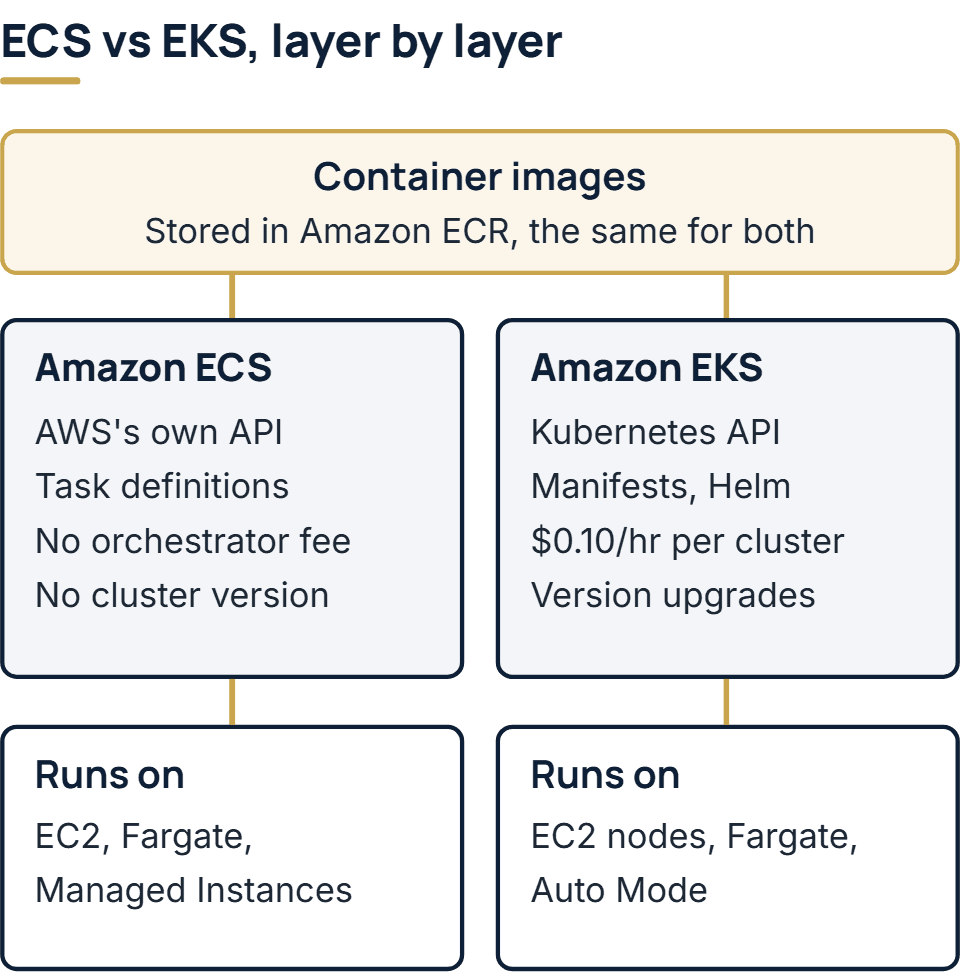
What is the difference between ECS and EKS?
The difference sits in the orchestrator, the software that decides where each container runs, restarts it when it fails and scales the number of copies up or down. Underneath, both can use the same compute.
| Amazon ECS | Amazon EKS | |
|---|---|---|
| How you describe the app | Task definitions (the blueprint) and services, in ECS’s own API | Kubernetes manifests, often packaged as Helm charts |
| Charge for the orchestrator | None on AWS capacity; a per-instance hourly fee for servers registered through ECS Anywhere | $0.10 per cluster per hour, $0.60 on extended support |
| Version upgrades | No cluster version to move | Kubernetes minor releases to keep up with, about three a year |
| Where containers run | EC2, Fargate, ECS Managed Instances, your own servers through ECS Anywhere | EC2 nodes, Fargate, EKS Auto Mode, your own servers through EKS Anywhere or Hybrid Nodes |
| On Fargate | Linux or Windows, x86 or Arm, and Fargate Spot | Linux on x86 only, with no Fargate Spot and no DaemonSets |
| Moving elsewhere | Definitions written for ECS work only with ECS | Standard Kubernetes API, so most manifests carry to another conformant cluster; AWS-specific settings do not |
AWS’s own decision guide frames the difference as one of control. It recommends ECS when you want control over network and security settings without giving up scale or features, and EKS for the flexibility that Kubernetes itself provides.
Is ECS basically Kubernetes?
No. ECS does the same job as Kubernetes: it schedules containers, keeps the right number running and replaces the ones that fail. But it is a separate system that AWS built and runs. It has no Kubernetes API, so kubectl, Helm charts and Kubernetes operators do not work with it. An ECS application is described in task definitions and services, a Kubernetes one in manifests. EKS goes the other way: AWS states that it is certified Kubernetes-conformant, so Kubernetes applications deploy to it without refactoring.
What the two share is the container image. Both pull Docker and OCI images, usually from Amazon ECR, so the build that produces your images stays the same. That decides what a later switch costs. The images move as they are. The deployment definitions, the autoscaling rules, the way services find each other and the pipeline steps that deploy them all have to be rewritten. A product that keeps its configuration in the environment rather than inside the image, one of the habits covered in our guide to microservices and containers, moves more easily in either direction.
What each one costs
ECS charges nothing for orchestration on AWS capacity. You pay for the EC2 instances or the Fargate capacity your containers use; only a server of your own registered through ECS Anywhere carries an hourly fee. EKS charges $0.10 an hour for each cluster while its Kubernetes version is in standard support, and $0.60 an hour once that version moves to extended support. The compute comes on top, as it does with ECS.
The cluster fee is small on its own and grows with the number of clusters. A product with development, staging and production as three EKS clusters pays about $219 a month in fees before it runs a single container (three clusters at $0.10 for roughly 730 hours). Left on an old Kubernetes version, the same three clusters cost about $1,314 a month. Under ECS that line is zero. These are our sums from AWS’s published rates; check the pricing pages before you budget.
On Fargate the compute costs the same either way: Fargate pricing bills ECS tasks and EKS Pods at one set of rates, per second with a one-minute minimum for Linux containers. The options that manage EC2 nodes for you add a fee to the EC2 price, EKS Auto Mode on one side and ECS Managed Instances on the other. Staff time is often the larger cost. AWS’s decision guide notes that some choices raise the amount of management a team has to do, and running Kubernetes is the example it gives.
The upgrade clock
Kubernetes puts out a minor release about every four months, and EKS follows it. Each version gets 14 months of standard support on EKS, then 12 months of extended support at the higher hourly fee. Extended support is switched on by default, so a cluster nobody upgrades starts paying six times the fee without anyone deciding to. With extended support switched off, the cluster is upgraded automatically when standard support ends instead.
When extended support runs out, AWS upgrades the control plane itself, at a time it does not announce, and that upgrade cannot be rolled back. Managed node groups and self-managed nodes stay on the old version until your team updates them, along with the cluster’s add-ons. To stay out of extended support, a team on EKS moves each cluster to a newer version before its current one is 14 months past its EKS release, and tests each workload against the new version before it moves.
EKS Auto Mode takes the nodes off your hands: it patches and replaces them, and no node lives longer than 21 days. On Fargate there are no nodes to patch, though Pods have to be restarted to pick up a new Kubernetes version. Either way, moving the control plane to a new version is still your call. ECS has no equivalent clock. AWS runs its control plane and there is no cluster version to upgrade. On EC2 capacity your team still patches the instances, as it would under EKS.
When to use EKS instead of ECS?
AWS’s guidance turns on two things, what the application needs and what the team already knows. The decision guide calls the skills of your organization a major factor. The organizations it describes running Kubernetes have invested in strong site reliability teams, and those teams handle frequent cluster upgrades.
EKS is usually the better fit when:
- your team already runs Kubernetes, or you are hiring people who do;
- the same deployment has to run outside AWS, on another cloud or in your own data center;
- you depend on tools built only for Kubernetes, such as a vendor’s Helm chart or an operator that runs a database;
- several teams will share one platform and want one API across all of it.
ECS is usually the better fit when:
- the product runs on AWS and is expected to stay there;
- a small team builds the product and also runs it;
- you want Fargate and need Windows or Arm containers, or Fargate Spot;
- you would rather spend engineering time on the product than on cluster upgrades.
Neither choice is permanent, but switching later is a rebuild of the deployment layer, so it pays to pick for the team you will have after launch, not only the one you have today.
ECR, EC2 and Fargate: where they fit
Three other AWS names come up in the same searches. None of them is an alternative to ECS or EKS.
- ECR (Elastic Container Registry) stores container images. ECR is where ECS and EKS both pull images from, so the difference between ECR and EKS is storage against running: ECR keeps the images, EKS runs them.
- EC2 is virtual servers. Comparing EKS with EC2 compares a manager with the machines it manages: EKS can run its containers on EC2 instances, and you can also run containers on EC2 with no orchestrator at all, looking after each server yourself.
- Fargate is serverless capacity for containers. You size each task or Pod and AWS provides the machine. It works under ECS and under EKS, with the limits on the EKS side listed in the table above.
For a containerized web application or API, AWS’s decision guide also names App Runner as the most straightforward path, with no infrastructure to manage or customize.
How we approach it
AWS is one of the technologies we build production systems on, and it is the cloud in the stack our SaaS development work uses, with environments, deployment pipelines and monitoring set up in accounts registered to your company. Whichever service a product runs on, the question to settle first is who will run it after launch, because those people will own the upgrade clock, or be spared it.
The full service behind this post: SaaS Development Company & Services.
Ready to scope your project?
Send us two sentences about what you need. We reply within one business day with the next step and any questions we need answered first.