
Blog
Legacy system modernization: approaches, patterns and a plan
Legacy system modernization changes an old system so it can be patched and changed safely again. Seven approaches, the patterns, and how to plan one.
Legacy system modernization is the work of changing an old system so that it can be kept patched and changed safely again, without stopping the business that runs on it. The change might be small, such as moving the runtime underneath to a supported version, or large, such as rebuilding the system one part at a time. What makes it modernization rather than routine upkeep is the goal: when the work is done, the system is no longer legacy. If you are still deciding whether yours is, what is a legacy system sets out the two tests this guide builds on. One asks whether every layer of the system still receives security fixes. The other asks whether your team can still change it with confidence.
Why is modernization important?
An old system that nobody modernizes gets more expensive in three separate ways, and they compound.
The first is money. The US federal government spends more than $100 billion a year on IT, and in July 2025 the Government Accountability Office (GAO) reported that most of that goes on operating and maintaining systems already in place. Budget spent keeping an old system alive is budget not spent on what the business needs next.
The second is exposure. Vendors publish end-of-support dates for operating systems, runtimes, frameworks and databases, and once a layer passes its date, flaws found in it afterwards stay open. That date is usually the deadline a modernization plan works back from.
The third is speed. Every change to untested, undocumented code takes longer to check than the change before it, until the business quietly stops asking for things it needs. Modernization is how a company gets that ability back. It is also how the knowledge held by one long-serving developer ends up in tests and documentation before that person moves on.
Leaving a system alone can still be the right call. A stable system that passes both tests and rarely needs a change may need nothing more than its regular patches. The work pays where a system fails a test and the business still depends on changing it.
Is modernization the same as migration?
Not quite, although one project often does both. A migration changes where software runs: new servers, a cloud, another database engine, or a bought product that takes its place. Modernization changes the software or its platform so that it can be maintained again. Moving an application to a cloud without touching its code is a migration that modernizes nothing but the hardware underneath, and refactoring code that stays on the same server modernizes without moving anything.
A legacy system migration strategy is therefore a plan for the move: which applications go where, in what order, and how their users switch across. Those strategies, among them the seven Rs that AWS names, and the three ways of cutting over are in our guide to software migration. This guide covers the other half of the job: what to change inside the system, and how to change it without one large release at the end.
Seven legacy modernization approaches, from least change to most
Published lists of modernization approaches use similar names. Here they are ordered by how much of the system each one changes, with what each fixes and what it leaves for later.
| Approach | What changes | What it fixes | What it leaves |
|---|---|---|---|
| Encapsulate | Nothing inside; an API goes in front of the system | Other software can reach the data without exports or retyping | Every flaw in the code and its platform |
| Rehost | Only the hosting: the same code on new servers or a cloud | Hardware that cannot be replaced, and the cost of running it | Unsupported runtimes, and code nobody can change safely |
| Upgrade the platform | The underlying layers move to supported versions | The patch test, usually the quickest of the seven to fix | Code that is still hard to change |
| Refactor | The structure of the code, while its behavior stays the same | The change test: the code gets easier to read and to change | The overall design, where the design is the problem |
| Re-architect | The design: parts are separated, often with their own data | Parts that need to change or grow at different rates | A long project that needs tests and a clear target first |
| Rebuild | The code is written again for the same purpose, often in a new stack | Both tests, for the part rebuilt | Rules hidden in the old code, unless someone finds them first |
| Replace | A bought product takes over the job | Both tests, if the product fits | Whatever the product does differently, which the business must adapt to |
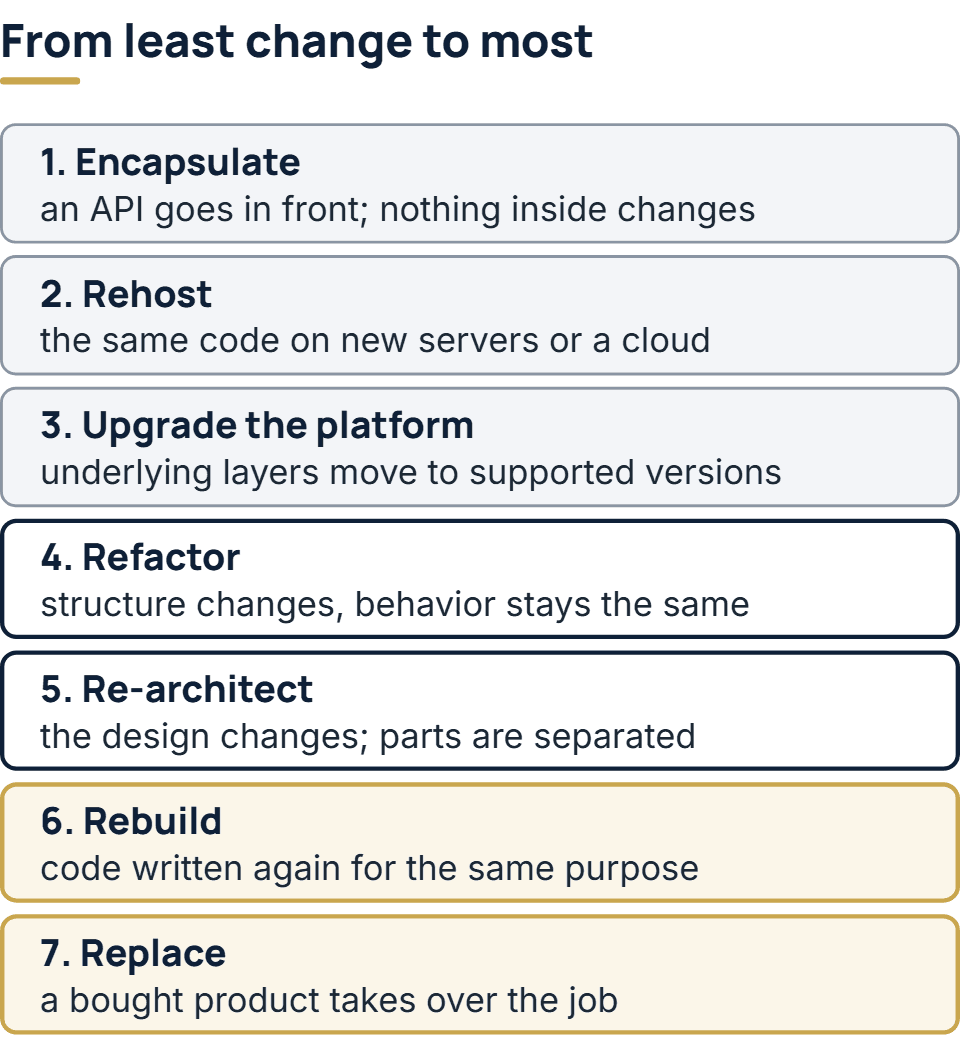
“Refactor” is used here in the narrow sense Martin Fowler gives it in his definition of refactoring: a change to the internal structure of the code that makes it simpler to follow and less costly to modify, with its visible behavior left as it was. Some vendors use the word for any code change. In a plan the narrow sense is worth keeping, because users should never notice a refactor, and they always notice a rewrite.
How to choose an application modernization strategy
Choose for each part of the system, not for the system as a whole. A typical older business application has a few parts that change every month, such as pricing rules, reports and the screens customers use, and many parts nobody has touched in years. The busy parts are where modernization pays back first. A part that never changes can often be wrapped in an API and left where it is.
Four questions settle most parts:
- Which test does it fail? Failing only the patch test points to upgrading the platform. Failing only the change test points to refactoring, with tests written first. Failing both makes rebuilding or replacing worth pricing.
- How often does the business need to change it? Often means refactoring or re-architecting is worth the money. Rarely means encapsulate or upgrade, and spend the budget elsewhere.
- Does a product already do this job? Payroll, accounting and help desk work is usually better bought than rebuilt. The rules that set your business apart are usually better kept in software you control.
- Can anyone describe what it does today? If no one can, the first job is to find out, with tests that record its current behavior, before choosing anything more ambitious.
The result is usually a mix. One part is upgraded, another refactored, a third rebuilt beside the old system, and the reporting moves into a bought product. A plan that applies one approach to the entire system suggests nobody looked at the parts.
Why big-bang rewrites so often fail
The tempting plan is to write a new system that does everything the old one does, switch over in one weekend, and turn the old one off. In his 2024 article on the Strangler Fig application, Martin Fowler writes that this plan usually fails. Ian Cartwright, Rob Horn and James Lewis, in their series Patterns of Legacy Displacement (published from 2021 to 2024), name the wish for feature parity, meaning a new system that gives the business exactly what it has today, as one of the key factors in the repeated failures they describe. Feature parity sounds like the safe option, and it leads directly to one large cut-over release.
The old system holds rules nobody wrote down, so a full rewrite ships with gaps that only show up in production. The business also keeps changing during a long rewrite, which means the target moves while the team is still building toward it. Meanwhile nothing reaches users until the end. A project that shows no value for many months is easy to cut when budgets tighten.
The alternative replaces the system a piece at a time, each piece in real use before the next one starts. Fowler’s case for it is that each new piece is small enough to introduce with little risk, it starts returning value as soon as it works, and the team learns how to replace the rest along the way.
Patterns for modernizing one piece at a time
| Pattern | What it does | Use it when |
|---|---|---|
| Characterization tests | Tests that record what the code does now, odd behavior included, before anyone changes it | Before refactoring or rebuilding any code that has no tests |
| Strangler Fig | A routing layer in front decides, request by request, whether old or new code answers, and the share handled by new code grows step by step | The system can be split by screen, feature or type of request |
| Anti-corruption layer | A translation layer between new and old code, so the new code never inherits the old data model | New code has to call the old system for months or years |
| Branch by abstraction | An interface goes in front of one internal component; callers move onto it; a new implementation then replaces the old one behind it | A component inside the code, such as a data access layer, has to be swapped while releases carry on |
| Event interception | Updates to the system’s state are captured and some are routed to a new component | The new part needs the old system’s changes as they happen |
Characterization tests take their name from Michael Feathers’ book Working Effectively with Legacy Code (2004). Each one asserts the output the code gives today, right or wrong. When a test shows the old system rounding a figure oddly, the team decides whether that is a bug or a rule some customer relies on, and writes the decision down.
Anti-corruption layer. Microsoft’s Azure Architecture Center documents the pattern, introduced by Eric Evans in Domain-Driven Design, and is plain about its costs: it adds latency to calls between the two systems and is one more service to run and maintain. It also advises deciding whether the layer will be permanent or retired along with the old system, and keeping business rules out of it so that it stays a translator.
Branch by abstraction was named by Paul Hammant, who credits Stacy Curl with the technique, and Fowler’s write-up of it gives the steps. It lets a team replace a component gradually while still releasing on its normal schedule.
Budget for code you will delete. Cartwright, Horn and Lewis use the term transitional architecture for the routing layers, translators and temporary data feeds that a piece-by-piece replacement needs: software put in only to help remove the old system. It takes real effort and is discarded at the end. A plan that leaves it out of the budget will be tempted to skip it, and that is how gradual projects slide back into a big bang.
How to plan a legacy modernization
- List the parts and test each one. Record what the system does, what calls it and what it calls, then run the two tests on each part, with the end-of-support date of every layer written down.
- Write down the outcomes. Say what should be true when the work is finished: a supported platform by a given date, a change that used to take weeks taking days, a new channel the old system blocks. Cartwright, Horn and Lewis put understanding the outcomes first among their four activities.
- Choose an approach for each part using the four questions above, and order the parts so the first one is small, useful and low in risk.
- Put the plan on paper. GAO’s 2025 review set a minimum for a documented modernization plan: milestones, a description of the work, and details of what will happen to the legacy system. Of the plans it examined, most were missing at least one of the three. The last element is the easiest to forget: when the old system will be switched off, and what becomes of its data.
- Write characterization tests, then deliver in slices. Each slice goes live while the old system still handles everything else, and the way back is agreed before the slice ships.
- Retire what has been replaced. Switch off old code and servers as each part moves across, rather than all at the end. A replaced part left running still needs patching, and keeping it “just in case” is how the cost of two systems becomes permanent.
How to tell the modernization is working
The change test can be measured. DORA, a research program on software delivery run by Google Cloud, tracks five software delivery metrics, and they make a practical before-and-after record for a modernization:
| Metric | What it measures | Where it should move |
|---|---|---|
| Change lead time | How long a committed change takes to reach production | Down |
| Deployment frequency | How often changes are deployed | Up |
| Change fail rate | Share of deployments that need immediate intervention | Down |
| Failed deployment recovery time | Time to recover from a deployment that fails and needs immediate intervention | Down |
| Deployment rework rate | Share of deployments that were unplanned and caused by a production incident | Down |
Record them for the old system before work begins, even roughly from the ticket log, and add the patch test as its own line: how many layers are past end of support, and the nearest end date among the rest. The business case for modernization comes from the same numbers. Set what slow changes and failed releases cost you now against what the plan costs. Those numbers come from your own change history, not from an industry average.
How we approach modernization
Modernization is work our engineers have already carried out on production systems. It begins with a map of dependencies: what calls the system, what the system calls, and which reports rely on its tables. On legacy work, that map comes from a short paid assessment, and our fixed price is itemized by part on the basis of it. Delivery then goes part by part, with the old system still serving its users, an agreed way back for each step, and working software to see in a demo each week. We work in both current .NET and the older .NET Framework, which matters when the system in front of us was written years ago. Where modernization fits with connecting the systems you keep is covered on our enterprise software development services page.
The full service behind this post: Enterprise Software Development Company & Services.
Ready to scope your project?
Send us two sentences about what you need. We reply within one business day with the next step and any questions we need answered first.