
Blog
How to build a web app: the steps and the decisions in each
How to build a web app from idea to launch: scope, the build route, rendering, stack, sign-in, testing and hosting, with the standards behind each check.
To build a web app, write down what it must do and for whom, choose whether it will be built on a no-code platform, coded by you or built by a team, decide where its pages are rendered, pick a stack you can maintain, and then build it in thin slices that each work end to end. Before real users arrive, test sign-in, permissions, accessibility and speed against published standards. Put it on a host behind HTTPS, with monitoring and backups. The order matters more than the tools. Web apps often stall because a decision from an early step, such as who may see which records, was left until the code had already assumed an answer.
Start with what the app must do
A web app is software that people use in a browser, usually after signing in, to work with data that is stored on a server. MDN’s client-server overview draws the line well: a static site returns the same content every time a page is asked for, while a dynamic one builds each response from the request and from data held in a database. If nothing a visitor does changes what is stored, you may need a website rather than an app.
Before any screen is drawn, answer four questions on one page:
- Who uses it? Name each kind of user, such as a customer, a member of staff and an administrator.
- What may each of them see and change? This becomes the permissions model, and it is far cheaper to settle now than after launch.
- What data does it hold? List the records (bookings, invoices, users) and which ones are personal or financial.
- What is the one job it must do on day one? For a booking tool at a clinic, that is a patient choosing a free slot and the receptionist seeing it.
Then set out the steps a user takes in order, list under each one what it needs, and draw a line under what the first release needs. Our guide to user story mapping shows that method in full.
Choose how it gets built
There are three routes, and the right one depends on how unusual your process is and who will keep the app running after launch.
| Route | It fits when | What to check first |
|---|---|---|
| A no-code or low-code platform | The app is mostly forms, lists and approvals, and the platform’s data model and permissions match yours | Whether you can export your data, what each extra user costs, and what happens if the platform changes its pricing or closes |
| Code it yourself | You or your team already write code, or the app is a way to learn | Who fixes it at 2 a.m. once other people rely on it |
| Have it built | The process is specific to your business, it connects to systems you already run, or it holds data you are accountable for | Who owns the code, how often you see working software, and what you are handed at the end |
The rest of this guide applies to the second and third routes. The decisions are the same whoever writes the code. What changes is who makes them.
Decide where pages are rendered
Every page of a web app has to become HTML in a browser, and where that happens shapes speed, cost and complexity. Google’s web.dev guide to rendering on the web names the main options:
| Approach | What happens | Choose it when |
|---|---|---|
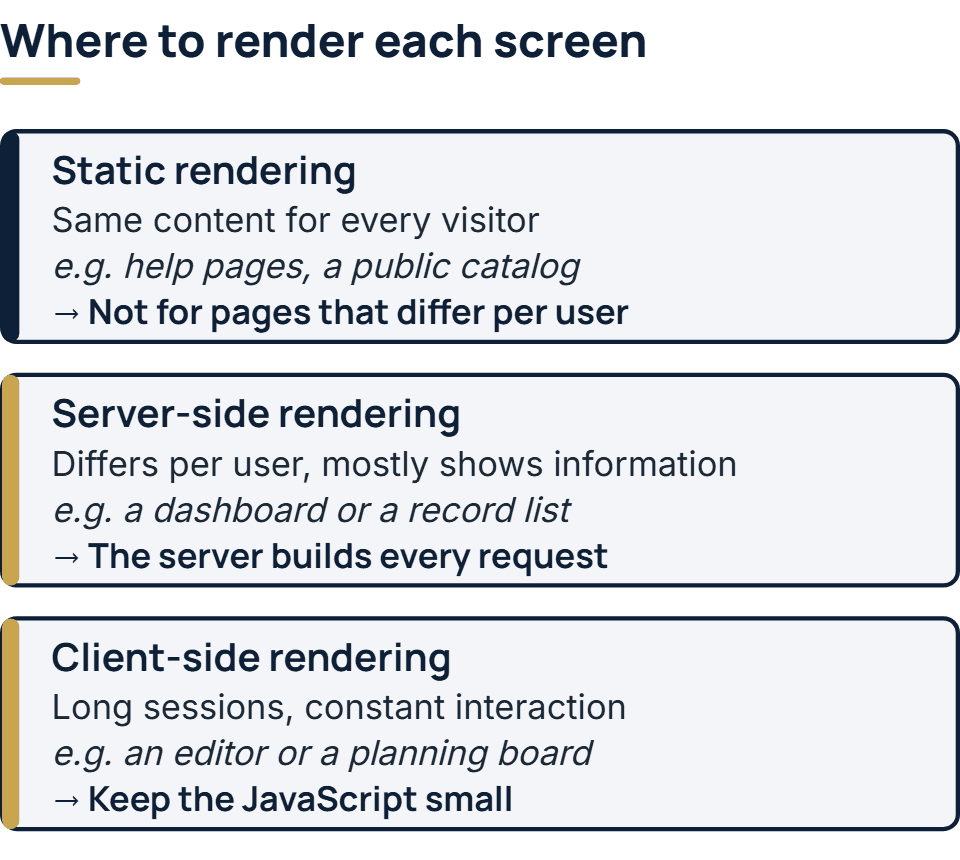
| Static rendering | The HTML for each URL is produced at build time, before anyone visits | The content is the same for every visitor, such as help pages or a public catalog |
| Server-side rendering (SSR) | The server builds the HTML for each request and sends it to the browser | Pages differ per user but mostly show information: dashboards, account pages, record lists |
| Client-side rendering (CSR) | The browser downloads JavaScript that builds the page and updates it as the user works | People stay in the app for long sessions and interact constantly, as in an editor or a planning board |
Each one has a cost. web.dev notes that static rendering is hard to use when the URLs cannot be known in advance, and that pages which need personalization suit server rendering better. Its main warning about client-side rendering is that the JavaScript needed tends to grow with the application, which can slow the page’s response to input and is hard to keep fast on phones.
Business apps commonly end up mixing the approaches. The sign-in page and the help pages are static, the lists and dashboards are rendered on the server, and one or two screens where people do heavy editing are rendered in the browser. Deciding this per screen, rather than once for the whole app, avoids sending a large bundle of JavaScript to someone who only wants to check an order.
Pick a stack your team can maintain
A web app has three layers. The front end is what runs in the browser. The back end is the server code that checks permissions, applies business rules and talks to the database. The database stores the records.
For business data such as customers, orders and invoices, which is full of relationships between records, a relational database is the usual starting point. For the front end and back end, the language your team already knows well beats the one that is fashionable. An app is written once and then changed for years, so the questions that matter are whether you can hire people who know the stack, whether its framework publishes a support schedule for each version, and whether the libraries you depend on are still maintained. Our comparison of React, Angular and Vue puts three common front-end choices through those questions. A stack that fails those questions turns into a legacy system sooner than anyone expects.
Get sign-in and permissions right
Sign-in is where tutorials age fastest. The current US federal guidance, NIST’s SP 800-63B-4, finalized in July 2025, sets these rules for passwords:
- A password that is the only factor must be at least 15 characters long. When it is one part of multi-factor sign-in, the minimum is 8.
- No other composition rules, so no demands for a capital letter, a digit and a symbol.
- No forced changes on a schedule. A change is required only when there is evidence the password has been compromised.
- Every new password is checked against a list of commonly used, expected or compromised values, and the user is told why one was refused.
Store passwords as hashes, not encrypted and never in plain text. OWASP’s Password Storage Cheat Sheet recommends Argon2id first, with at least 19 MiB of memory, 2 iterations and a parallelism of 1. Most frameworks have a maintained library that does this for you. Use it rather than writing your own.
Permissions need even more care. Broken access control heads the OWASP Top 10:2025, and a common form of it is simple: the screen hides a button, but the server never checks whether this user may perform that action on that record. Every request that reads or changes data must be checked on the server against the permissions model from the first step. Our post on building secure web applications goes through the other risks on the list stage by stage.
Build in thin slices
Build one complete path first: a user signs in, does the app’s one job and sees the result, with the data really stored. It can be plain and incomplete, but it should run on a real server. That path proves the layers fit together, and every later feature becomes a slice added to something that already works.
A few habits keep the build honest:
- Use version control from the first line. Every change is recorded, can be reviewed and can be undone.
- Deploy early and often. An app that has been running on a server since its first week has far fewer surprises waiting at launch.
- Keep secrets out of the code. Database passwords and API keys belong in the host’s configuration, not in the repository.
- Write tests for the rules that matter. Prices, permissions and anything involving money or personal data deserve automated tests before anything else does.
Check it before real users arrive
Testing a web app means more than clicking through it. Each line below has a published yardstick, so “done” can be measured rather than argued about.
| Check | The yardstick | How to run it |
|---|---|---|
| Permissions | Each role can see and change only what the permissions model allows | Sign in as each role and try to open records that belong to another user by changing the ID in the URL |
| Sign-in | The NIST rules above | Try a 14-character password, a common one and a known breached one |
| Security | OWASP’s Application Security Verification Standard (version 5.0, May 2025), a fuller checklist than the Top 10 | Work through the requirements that apply to your app, starting with authentication and access control |
| Accessibility | WCAG 2.2 at level AA, for example a contrast of at least 4.5:1 for normal-size text | An automated checker, then the main path using only a keyboard |
| Speed | Google’s Core Web Vitals: largest contentful paint within 2.5 seconds, interaction to next paint of 200 milliseconds or less, cumulative layout shift of 0.1 or less, met by at least 75 percent of page loads | Measure on a mid-range phone, not only a developer’s laptop |
| Recovery | You can restore yesterday’s data | Restore a backup to a separate server and sign in to it |
The functional side, from single functions up to a full acceptance run with real users, is covered in our guide to the levels of testing.
Launch and keep it running
A web app needs a domain, a host and HTTPS on every page. A certificate no longer needs to cost anything: Let’s Encrypt, a certificate authority run by the nonprofit Internet Security Research Group, issues them free, and the software on your server can renew them automatically; most hosts set this up for you.
On launch day, three things should already be running. Uptime and error monitoring tells you about a failure before your users do. Backups should run on a schedule and be restored once to prove they work. And someone should own updates, because the framework, the libraries and the server’s operating system will all publish security fixes in the app’s first month, and every month after.
Is a PWA still worth building?
Yes, when people would use the app often on their phones. MDN describes a progressive web app as an app built with web platform technologies that gives a user experience like that of a platform-specific app. It runs from one codebase on many devices, like a website, and like a native app it can be installed, work offline and in the background, and integrate with the device. In practice that means adding a web app manifest and a service worker to an app you are building anyway. It is worth the extra work for field staff who lose signal or customers who come back daily. For an internal tool used at a desk, it adds little.
How much does it cost to build a web app?
The main drivers are how many kinds of user the app serves, the screens and rules each of them needs, the systems the app must connect to, and how much data has to be moved in from what it replaces. A tool with one role and a dozen screens is a different project from a portal with four roles and an integration with your accounting system. A useful estimate is built from a written scope, not from a feature count. Our guide to software development cost estimation walks through the methods and a worked example.
If you would rather have it built
If you would rather a team made these decisions with you, we start with a free first call. Scoping produces a written scope document, and we price a fixed, itemized quote from it. An app that must fit older code or several existing systems gets a short paid assessment first, ahead of any quote. You approve each screen as a clickable design before any code is written, then see the app working in a weekly demo. On launch day you get handover documents that describe the architecture, how roles and permissions are set up, and the runbook for operating the app. Each step is described on our page about web application development services.
The full service behind this post: Custom Web Application Development Company.
Ready to scope your project?
Send us two sentences about what you need. We reply within one business day with the next step and any questions we need answered first.